[1]:
%load_ext autoreload
%autoreload 2
[2]:
%reset
[3]:
import os
import numpy as np
from matplotlib import pyplot as plt
from scipy import ndimage

from pySurf.data2D_class import Data2D
from pySurf.data2D import plot_data
from dataIO.fn_add_subfix import fn_add_subfix
#from pySurf.fit_cylinder import fit_cylinder, fit_cone
#from pySurf.points import resample_grid, subtract_points, plot_points, points_autoresample

from pySurf.readers.instrumentReader import matrix_reader, matrix4D_reader

from pySurf.scripts.dlist import Dlist,load_dlist

from plotting.backends import maximize
from dataIO.span import span

import inspect
import warnings
warnings.filterwarnings('ignore')
np.set_printoptions(threshold=40)  #truncate arrays longer than 40
c:\users\kovor\documents\python\pyxtel\source\pySurf\psd2d.py:292: DeprecationWarning: invalid escape sequence \m
  """ Calculates 2D PSD as image obtained combining all profile PSDS calculated along vertical slices of data. Resulting image has size
c:\users\kovor\documents\python\pyxtel\source\pyProfile\psd.py:471: DeprecationWarning: invalid escape sequence \p
  ax3b.set_ylabel('Phase /$\pi$')
c:\users\kovor\documents\python\pyxtel\source\pyProfile\psd.py:244: SyntaxWarning: "is" with a literal. Did you mean "=="?
  if np.size(np.shape(c)) is 2:
<frozen importlib._bootstrap>:219: RuntimeWarning: numpy.ndarray size changed, may indicate binary incompatibility. Expected 80 from C header, got 88 from PyObject
c:\users\kovor\documents\python\pyxtel\source\pySurf\readers\format_reader.py:54: DeprecationWarning: invalid escape sequence \M
  '''from manual: Complete maps of the header formats can be obtained by running the dat_test.exe
c:\users\kovor\documents\python\pyxtel\source\pyProfile\profile_class.py:923: DeprecationWarning: invalid escape sequence \m
  """Read a set of profile file(s) to a plist. By default, files are split on blocks with spaces or changes in monotony.
Introduction to the library
The representative class is Data2D, which represents a surface with associated axes. It’s a Python library, so it has all of Python’s features, and I can inspect its objects using ?
[4]:
Data2D?
Init signature:
Data2D(
    data=None,
    x=None,
    y=None,
    file=None,
    reader=None,
    units=None,
    name=None,
    *args,
    **kwargs,
)
Docstring:
A class containing 2D data with x and y coordinates and methods for analysis.

Args:
    object ([type]): [description]

Raises:
    ValueError: [description]
    ValueError: [description]
    ValueError: [description]
    ValueError: [description]
    ValueError: [description]
    ValueError: [description]

Returns:
    [type]: [description]
Init docstring:
A class for 2D data with coordinates and their analysis.

Can be initialized with data | data, x, y | file | file, x, y.
if x and y are coordinates if match number of elements,
    or used as range if two element.
If provided together with file, they override x and y
    read from file.

Function methods return a copy with new values and don't alter original
   object. Reassign to variable to use as modifier:
   e.g. a=a.level( ... )

Args:
    data (2D array or string): 2D data or file name (suitable reader must
    provided).

    x, y (array): coordinates or ranges.

    file (str): alternative way to provide a data file.

    units (str array): 3-element array with units symbols for `x`, `y`, `data`

    reader (function): reader function (see `pySurf.readers.instrumentReader`).

    name (str): sets the name of created object.

    *args, **kwargs: optional arguments for `pySurf.data2D.register_data`.
File:           c:\users\kovor\documents\python\pyxtel\source\pysurf\data2d_class.py
Type:           type
Subclasses:     PSD2D
Come vediamo puo’ essere inizializzato con data,x,y e tante altre cose. Tipicamente pero’ vorremo leggere dati da qualche file. C’e’ un’argomento reader per selezionare una funzione per leggere i dati, ve ne sono per molti comuni strumenti e formati, o puo’ essere implementata custom. Se il reader non e’ passato esplicitamente, prova ad indovinare il formato, ed in genere ci azzecca abbastanza.
[11]:
fn = r'G:\My Drive\progetti\ion_beam\specchio_beatrix\exemplar_data\MFT-txt\EN4-2-100.txt'
fn2 = r'G:\My Drive\progetti\c_overcoating\esperimenti\20200214_batch2_IrC\20200306_MFT_calibration\01_18803_A.csv'
[5]:
d = Data2D(fn2)
print ("Return object", d)
---------------------------------------------------------------------------
NameError                                 Traceback (most recent call last)
Cell In[5], line 1
----> 1 d = Data2D(fn2)
      2 print ("Return object", d)

NameError: name 'Data2D' is not defined
Posso provare ad elencare i metodi della classe (ad esempio, esiste un metodo plot, cosa fara’?!):
[24]:
print('methods:\n','\n'.join([d for d in dir(Data2D) if d[:2] != '__']))
['align_interactive', 'apply_to_data', 'apply_transform', 'copy', 'crop', 'histostats', 'level', 'load', 'plot', 'printstats', 'psd', 'remove_nan_frame', 'remove_outliers', 'resample', 'rot90', 'rotate', 'save', 'slope', 'std', 'topoints', 'transpose', 'update_wrapper']
Quindi proviamo a leggere qualche dato (salvato da MFT in formato testo):
[25]:
d.plot()
first argument is string, use it as filename
[25]:
<matplotlib.image.AxesImage at 0x296c4179358>
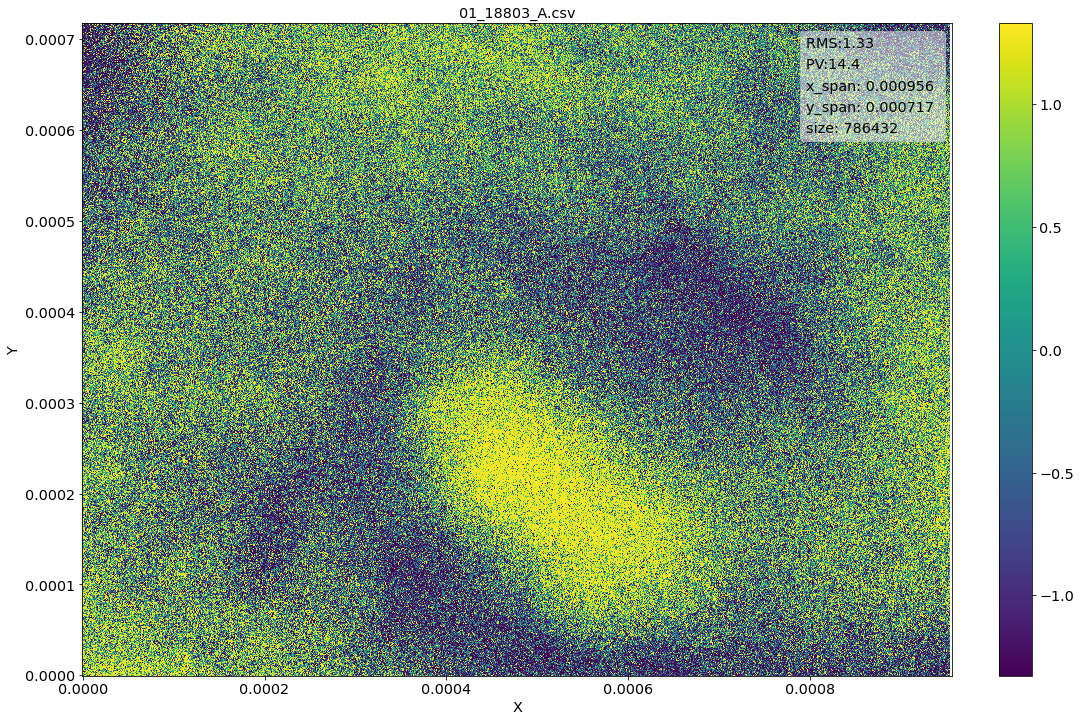
Notiamo tuttavia che le unita’ degli assi sono scomode (ed ignote), vorrei anche collocare il centro dell’immagine sull’origine (potrebbe pero’ essere ovunque). I can also invert y axis to match format specs:
[26]:
d = Data2D(fn2,units=['mm','mm','nm'],center=(0,0),scale=(1000,-1000,1))  #this matches exactly Gwyddion
d.plot()
first argument is string, use it as filename
[26]:
<matplotlib.image.AxesImage at 0x296d1dbad30>
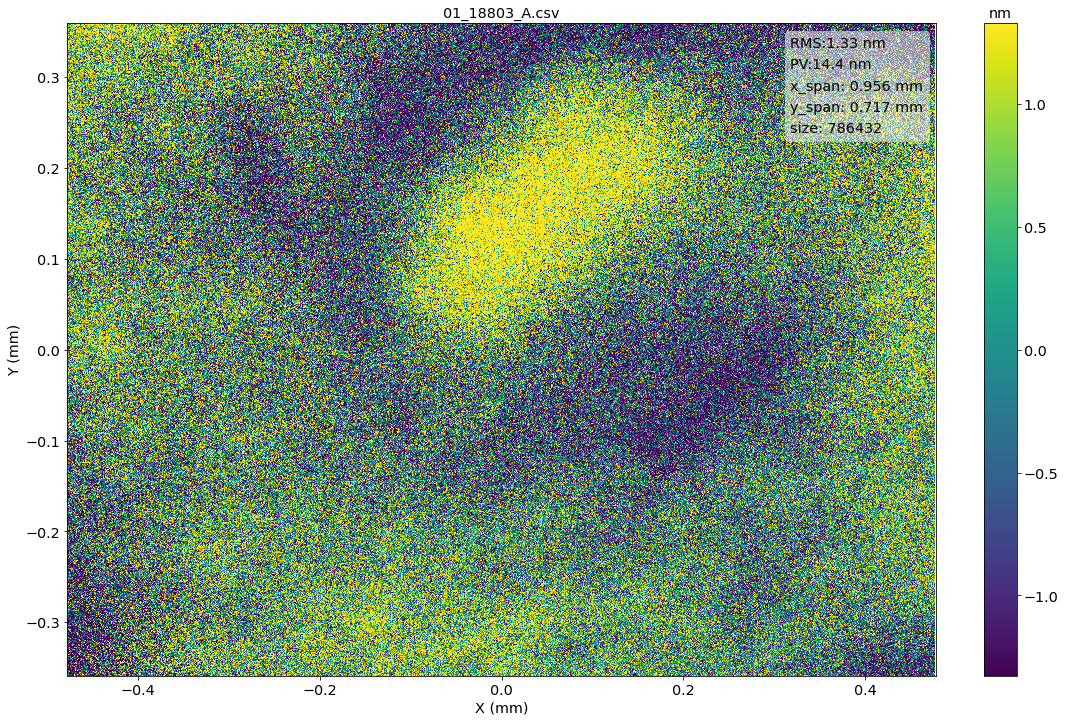
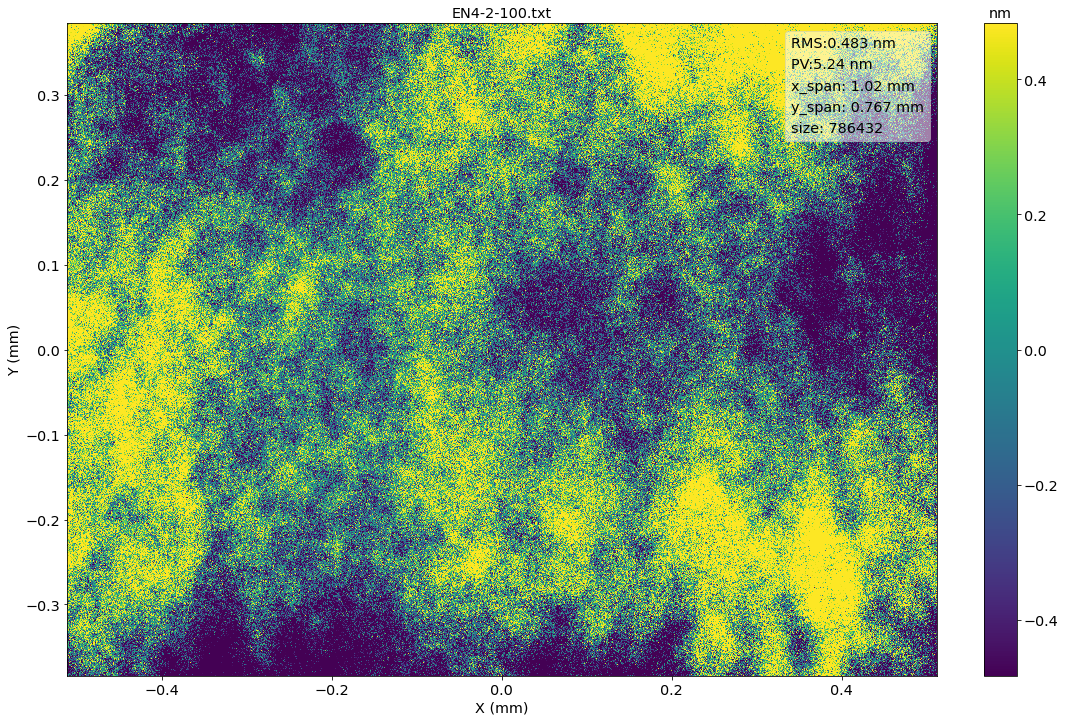
This is an example of how I can read a simple matrix csv file, passed by a colleague, that was stripped of the header and has an arbitrary delimiter, scale (correct by wavelength), etc.
[27]:
d2 = Data2D(fn,units=['mm','mm','nm'],center=(0,0),matrix=1,delimiter='',scale=(0.001,0.001,635.)) #this matches exactly MFT software
d2.plot()
first argument is string, use it as filename
fileformat ``.txt``not recognized for file G:\My Drive\progetti\ion_beam\specchio_beatrix\exemplar_data\MFT-txt\EN4-2-100.txt
Use generic text reader
[27]:
<matplotlib.image.AxesImage at 0x296d028aa90>
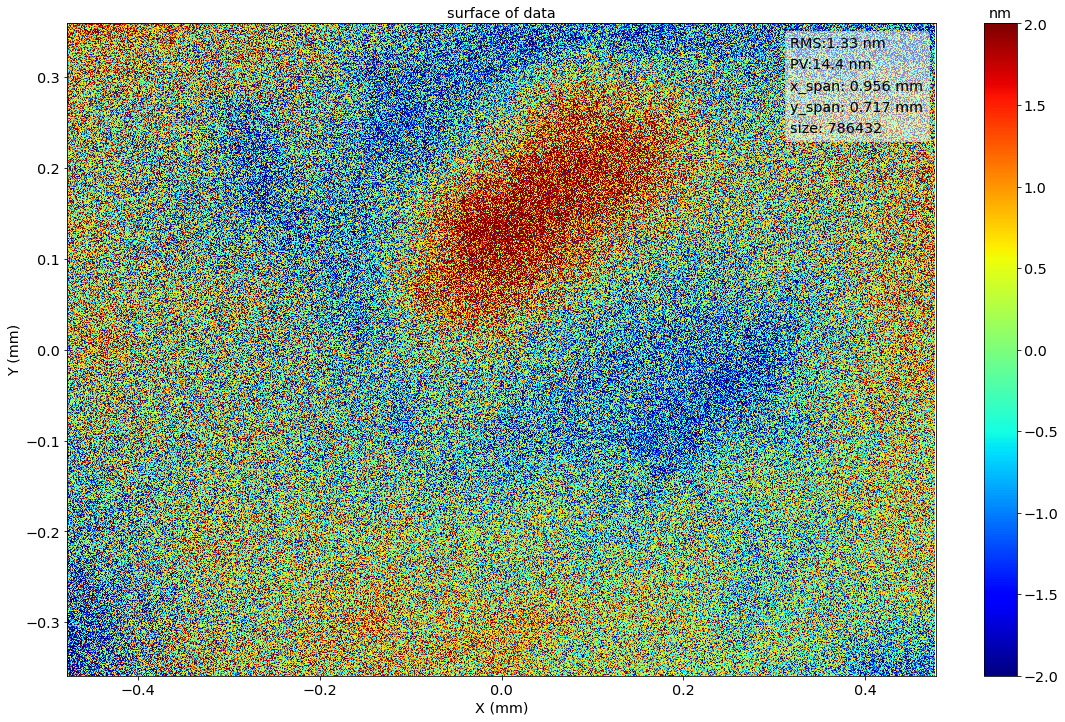
Riguardo ai plot (ed in generale quando possibile agli altri metodi), posso passare normali argomenti python, ad es. cambiare titolo e assi. Posso salvare la figura con i normali metodi python (quindi di conseguenza molte soluzioni si trovano su stackoverflow). Ad esempio per cambiare palette e scala colori:
[33]:
d.plot(vmin=-2,vmax=+2,cmap=plt.get_cmap('jet'))
plt.title('surface of data')
[33]:
Text(0.5, 1.0, 'surface of data')
The returned object represents a set of data and axis. These can be returned calling the object itself:
[34]:
d()
[34]:
(array([[-3.683  , -0.3302 , -2.1082 , ..., -0.9525 ,      nan,      nan],
        [ 2.8067 ,  0.9144 , -2.55905, ..., -0.01905,      nan,      nan],
        [-1.2192 , -1.1938 , -1.47955, ...,  1.46685,      nan,      nan],
        ...,
        [ 0.8128 ,  0.51435,  1.78435, ..., -0.04445,      nan,      nan],
        [ 2.2987 ,  0.60325, -1.02235, ...,  0.83185,      nan,      nan],
        [ 2.159  , -0.34925,  1.5367 , ..., -1.75895,      nan,      nan]]),
 array([-0.4779096 , -0.47697527, -0.47604094, ...,  0.47604094,
         0.47697527,  0.4779096 ]),
 array([-0.3584322 , -0.35749756, -0.35656293, ...,  0.35656293,
         0.35749756,  0.3584322 ]))
But can also be represented with x,y,z points:
[66]:
d.topoints()
[66]:
array([[-0.4779096 , -0.3584322 , -3.683     ],
       [-0.47697527, -0.3584322 , -0.3302    ],
       [-0.47604094, -0.3584322 , -2.1082    ],
       ...,
       [ 0.47604094,  0.3584322 , -1.75895   ],
       [ 0.47697527,  0.3584322 ,         nan],
       [ 0.4779096 ,  0.3584322 ,         nan]])
Functions (not yet classes) to manipulate data points in 3-coordinate format are available in module points.
Analysis functions
Qualche semplice analisi (in realta’ la funzione e’ ancora un po’ grezza, mandatemi pure feedback e richieste).
[84]:
h1 = d.histostats()
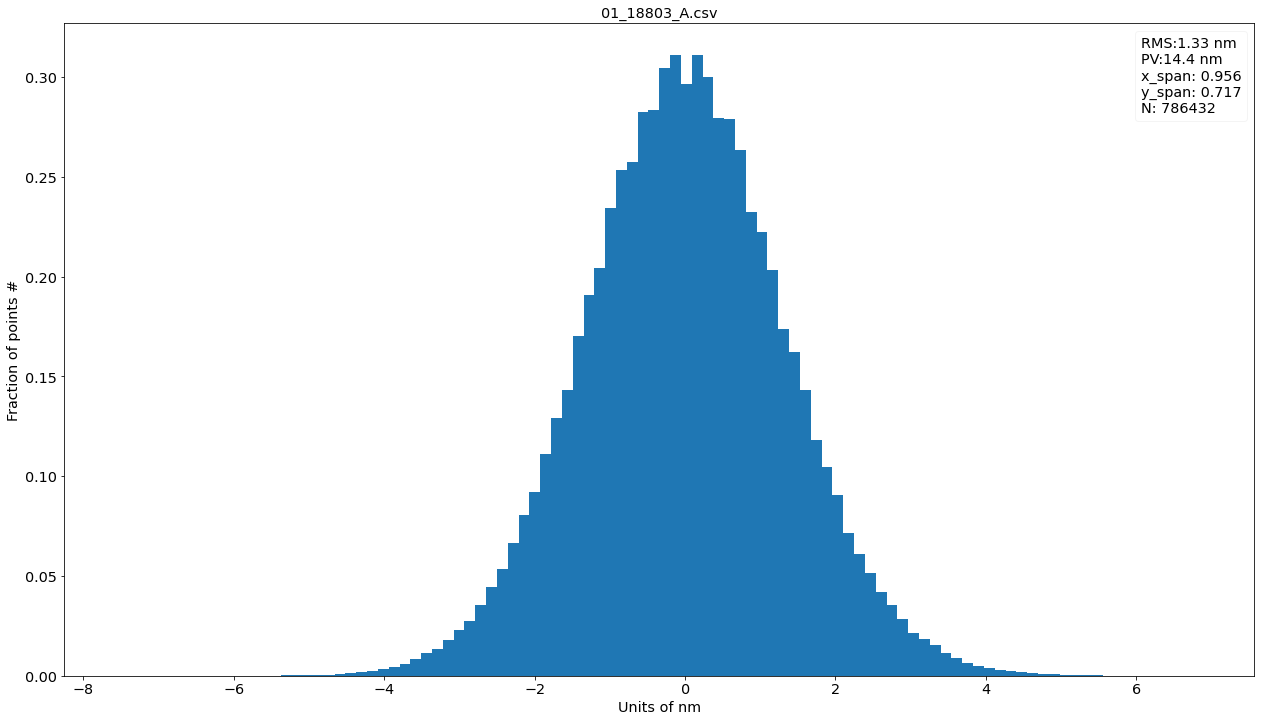
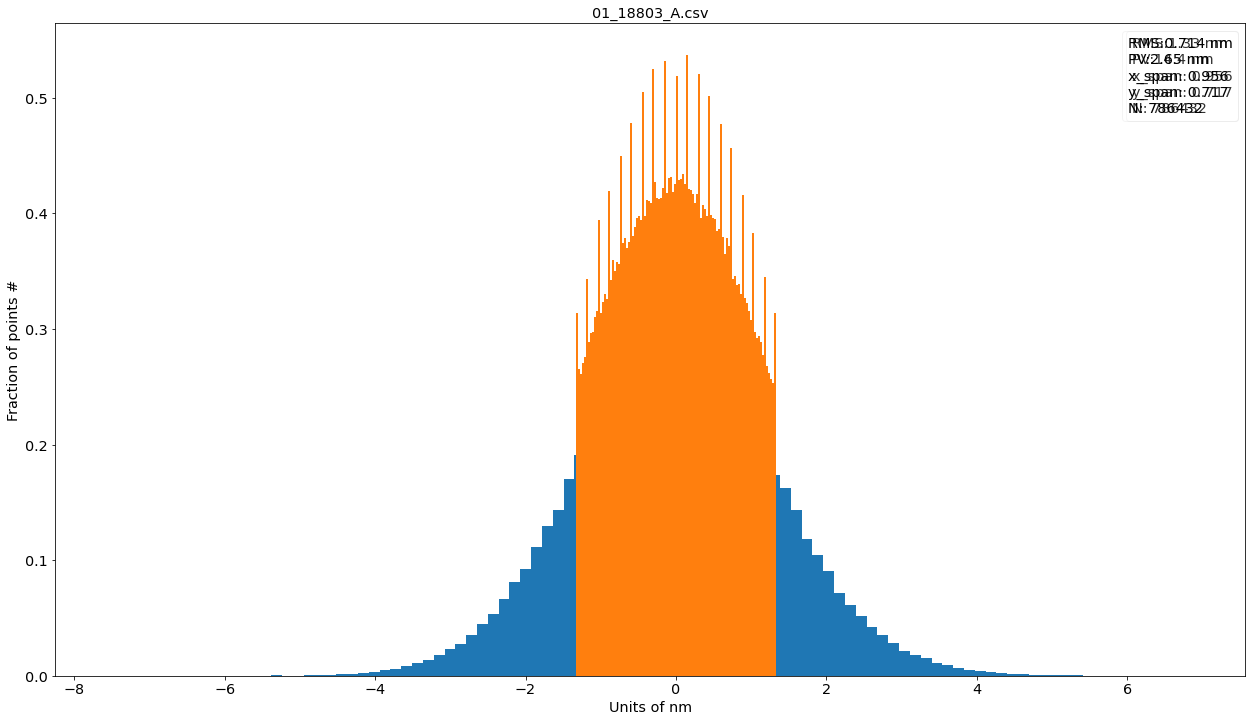
Se proprio vogliamo strafare (in realta’ la funzione e’ ancora un po’ grezza, mandatemi pure feedback e richieste).
[117]:
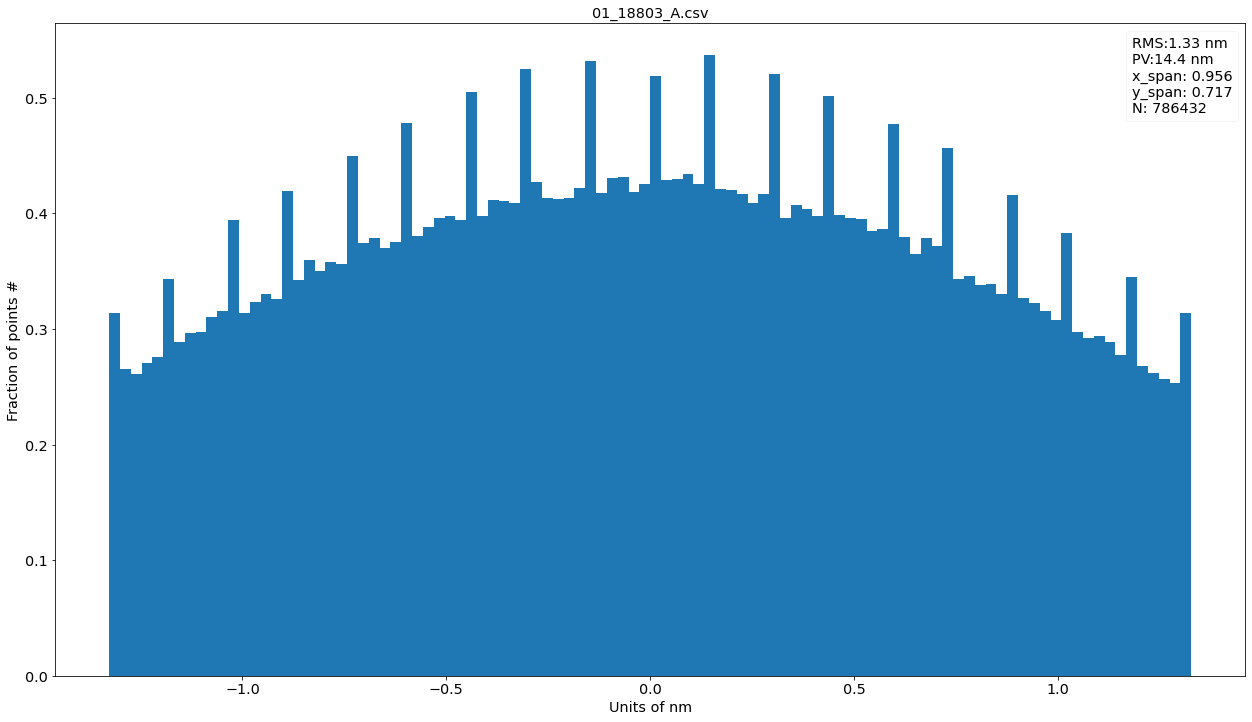
h1 = d.histostats()
h2 = d.remove_outliers(nsigma=1).histostats()  #i picchi vengono fuori dal non aver lasciato gli stessi bin di prima, ma perche'?
plt.figure()
d.histostats(bins=h2[1]) #ci sarebbero anche su h1 se plottato con stessi bins
C:\Users\kovor\Documents\python\pyXTel\dataIO\outliers.py:35: RuntimeWarning: invalid value encountered in less
  mask=mask & (np.abs(data-np.nanmean(data))<(nsigma*sigma))
[117]:
(array([0.31397392, 0.26534964, 0.2606956 , ..., 0.25659727, 0.25277679,
        0.31383499]),
 array([-1.32715 , -1.300607, -1.274064, ...,  1.274064,  1.300607,
         1.32715 ]),
 <a list of 100 Patch objects>)
[106]:
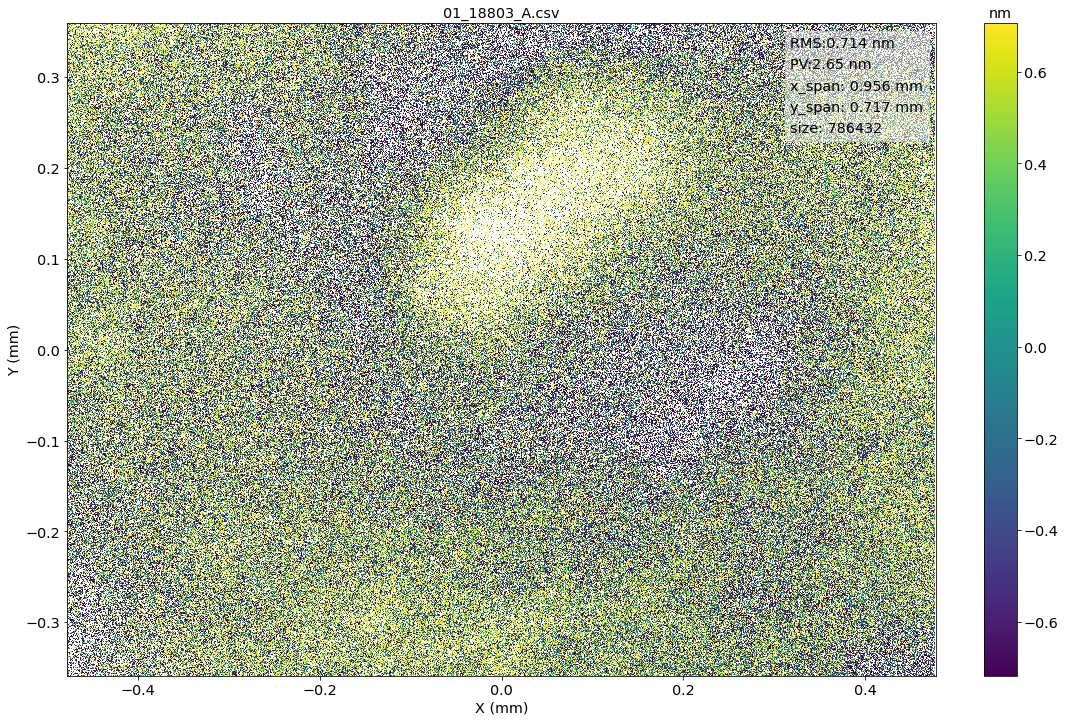
dd = d.remove_outliers(nsigma=1)
dd.plot()
[106]:
<matplotlib.image.AxesImage at 0x22256fb6320>
PSD Analysis
To show some complex analysis:
d.psd?
Signature:
Data2D.psd(
    self,
    wfun=None,
    rmsnorm=True,
    norm=1,
    analysis=False,
    subfix='',
    name=None,
    *args,
    **kwargs,
)
Docstring:
return a PSD2D object with 2D psd of self.
        If analysis is set True, `psd2d_analysis` function is called to generate plots.
        Parameters proper of this function are passed as args.
        You need to pass also title, it generates output,
        this is subject to change, at the moment, pass empty string to generate plots
        or string to create output graphics.
        subfix and name are used to control the name of returned object.
        units are set in units of self because of the ambiguity mentioned in
        pySurf.psd2d.psd_units, and consistently with functions in `pySurf.psd2d`.


psd2d(data, x, y, wfun=None, norm=1, rmsnorm=False, axis=1, includezerofreq=False)
Calculate the 2d psd by lines along axis. return freq and psd.

        doesnt work with nan.
        use 2d function for psd np.fft.rfft2 for efficiency and mimics
            what done in pySurf.psd.psd
[67]:
d.psd(analysis=True,title='')
plt.show()
C:\Users\kovor\Anaconda3\lib\site-packages\numpy\lib\nanfunctions.py:1667: RuntimeWarning: Degrees of freedom <= 0 for slice.
  keepdims=keepdims)
<Figure size 1536x864 with 0 Axes>
> c:\users\kovor\documents\python\pyxtel\pysurf\psd2d.py(374)psd2d_analysis()
-> mask=np.isfinite(rms)
(Pdb)  c
C:\Users\kovor\Documents\python\pyXTel\pySurf\data2D.py:771: RuntimeWarning: invalid value encountered in greater
  data[((data>zrange[1]) | (data<zrange[0]))]=np.nan
C:\Users\kovor\Documents\python\pyXTel\pySurf\data2D.py:771: RuntimeWarning: invalid value encountered in less
  data[((data>zrange[1]) | (data<zrange[0]))]=np.nan
C:\Users\kovor\Anaconda3\lib\site-packages\matplotlib\colors.py:1171: RuntimeWarning: invalid value encountered in less_equal
  mask |= resdat <= 0
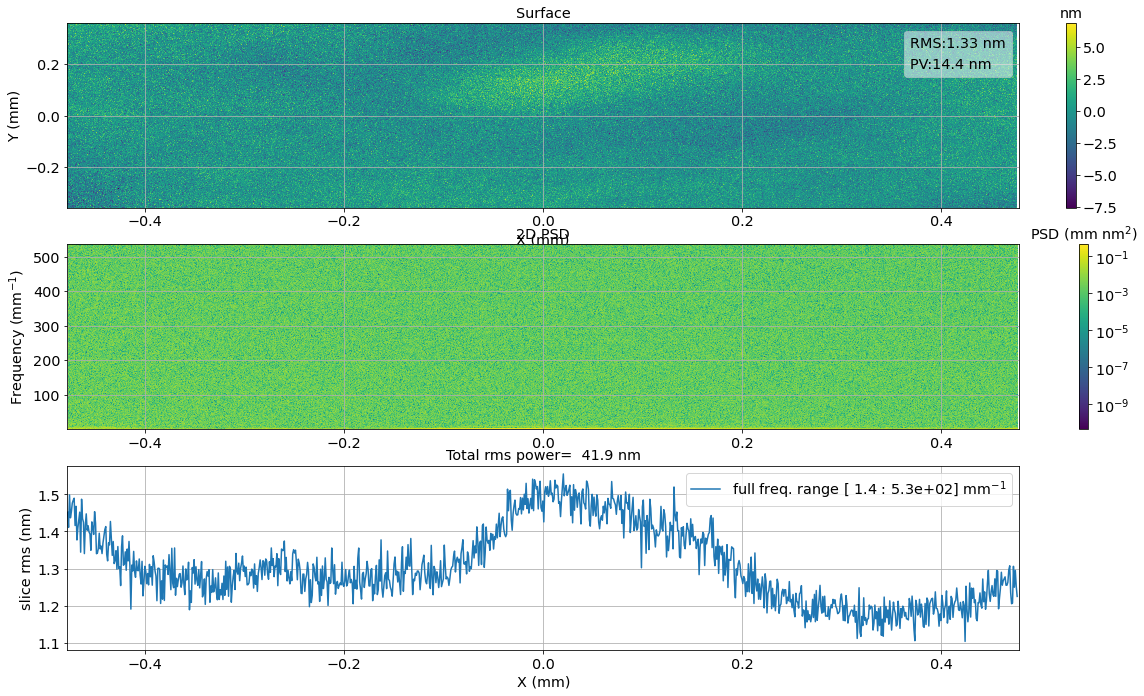
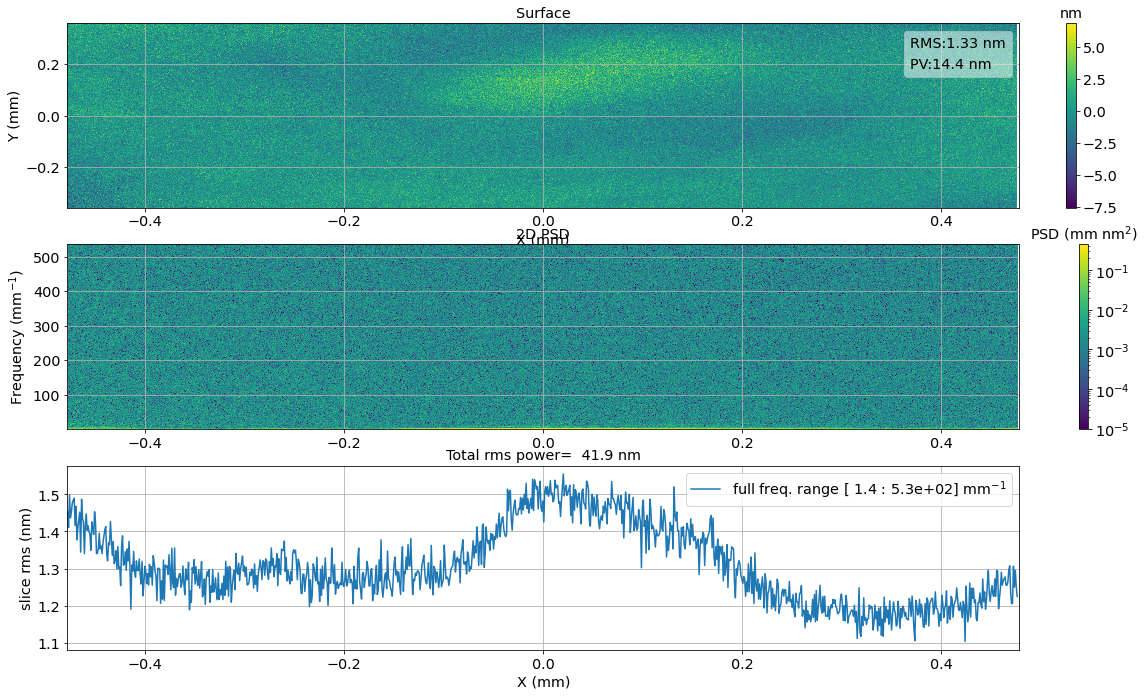
Spiego i tre pannelli. Notare le unita’ di misura (questo perche’ avevo definito units in inizializzazione). Pero’ puo’ essere migliorato. I don’t like the color range of PSD.
[68]:
d.psd(analysis=True,title='',prange=[1e-5,None])
plt.show()
C:\Users\kovor\Anaconda3\lib\site-packages\numpy\lib\nanfunctions.py:1667: RuntimeWarning: Degrees of freedom <= 0 for slice.
  keepdims=keepdims)
<Figure size 1536x864 with 0 Axes>
> c:\users\kovor\documents\python\pyxtel\pysurf\psd2d.py(374)psd2d_analysis()
-> mask=np.isfinite(rms)
(Pdb)  c
C:\Users\kovor\Documents\python\pyXTel\pySurf\data2D.py:771: RuntimeWarning: invalid value encountered in greater
  data[((data>zrange[1]) | (data<zrange[0]))]=np.nan
C:\Users\kovor\Documents\python\pyXTel\pySurf\data2D.py:771: RuntimeWarning: invalid value encountered in less
  data[((data>zrange[1]) | (data<zrange[0]))]=np.nan
C:\Users\kovor\Anaconda3\lib\site-packages\matplotlib\colors.py:1171: RuntimeWarning: invalid value encountered in less_equal
  mask |= resdat <= 0
[95]:
d.psd(analysis=True,title='',prange=[1e-5,None],rmsrange=[[None,0.1],[0.1,100],[100,None]])
plt.show()
<Figure size 1536x864 with 0 Axes>
C:\Users\kovor\Documents\python\pyXTel\pySurf\psd2d.py:156: RuntimeWarning: Mean of empty slice
  plt.title(ax3.get_title()+' [%4.2g : %4.2g]:%4.2g '%(fr[0],fr[1],np.nanmean(rms)))
---------------------------------------------------------------------------
IndexError                                Traceback (most recent call last)
<ipython-input-95-b17ead6322fd> in <module>
----> 1 d.psd(analysis=True,title='',prange=[1e-5,None],rmsrange=[[None,0.1],[0.1,100],[100,None]])
      2 plt.show()

~\Documents\python\pyXTel\pySurf\data2D_class.py in psd(self, wfun, rmsnorm, analysis, subfix, name, *args, **kwargs)
    380
    381         if analysis:
--> 382             f,p=psd2d_analysis(self.data,self.x,self.y,wfun=wfun,units=self.units,*args,**kwargs)
    383         else:
    384             f,p=psd2d(self.data,self.x,self.y,wfun=wfun,norm=1,rmsnorm=rmsnorm)

~\Documents\python\pyXTel\pySurf\psd2d.py in psd2d_analysis(wdata, x, y, title, wfun, vrange, rmsrange, prange, fignum, rmsthr, aspect, ax2f, units, outname)
    378             ax2.plot(x[~mask],np.repeat(ax2.get_ylim()[1],len(x[~mask])),'rx')
    379
--> 380         p[:,~mask]=np.nan
    381         ax3.grid(1)
    382         #plt.tight_layout(rect=(0, 0.03, 1, 0.95) if title else (0, 0, 1, 1))

IndexError: too many indices for array
[ ]:
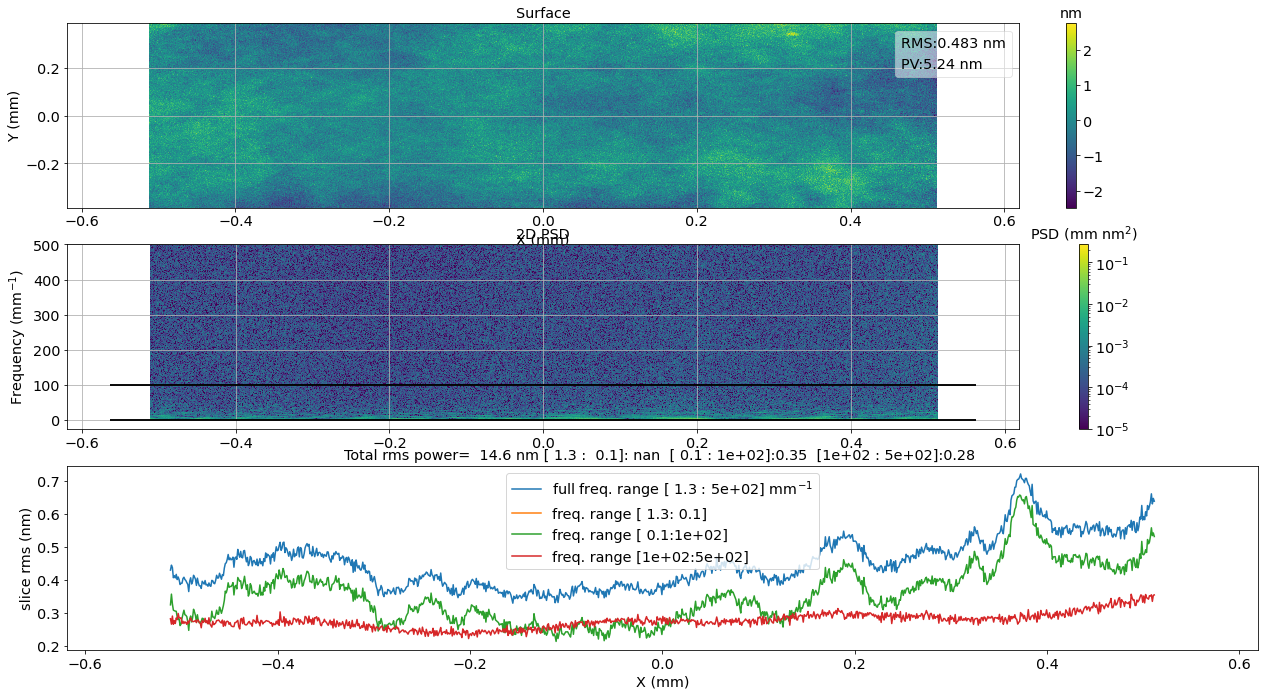
Notare valori rms per banda sopra grafico.
TODO: run again with updated routines to remedy to image misalignment. TODO: repeat analysis with a more representative sample. TODO: Mostra come i valori ritornati sono psd che possono essere plottate sullo stesso grafico. TODO: Mostra opzioni proiezione psd.